
Blog posts & social posts
Draft, prove, and publish content that actually ranks.
Stratagraph researches the keyword, writes the article, checks its own work against real SEO requirements, and ships it to WordPress — or a ZIP file if you’d rather do that part yourself. Then, if you want, it turns that same article into a week of social posts.
 Pinterest · 2:3
 Facebook
 LinkedIn
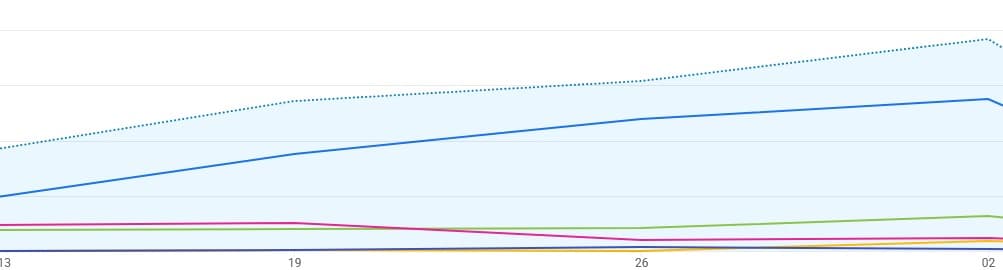 Search visibility
What it does
Everything between a keyword and a published article.
Research that's actually researched
Search intent, keyword difficulty, and volume estimates, plus alternate titles by angle and LSI or question-based keyword variations — before a word of the article gets written.
Full articles, not outlines
HTML and Markdown, a genuine FAQ section, internal links mapped to your real pages, and both BlogPosting and FAQPage JSON-LD — generated together, not bolted on after.
Images your way
Upload your own, generate them, or skip images entirely. Every image ships with alt text and a descriptive filename, not "image-1.jpg".
Ship it two ways
Download a ready-to-upload ZIP, or publish straight to WordPress with Yoast and Rank Math meta, JSON-LD, and images already in place.
One article, a week of posts
Optional: turn the finished article into social posts for six networks, each written to that platform's own length and tone — and drawn from the article's real headings and FAQ, not a fresh guess at the topic.
How it works
Five steps. The same five, every time.
- 01
Title & keywords
Give it a working title and five focus keywords to build from.
- 02
SEO research
Review alternate titles, keyword variations, and difficulty before you commit.
- 03
Internal linking
Map anchor text to your existing pages — or skip it, entirely optional.
- 04
Images
Bring your own, generate them, or leave them out.
- 05
Publish
Export a ZIP, or send it straight to WordPress, fully proofed.
The proof sheet
Every article checks its own work.
Before anything ships, it’s run against the same six checks — in the app, live, against the article you actually generated. Nothing marked “ready” that hasn’t earned it.
Primary keyword placement
Your focus keyword, confirmed in the H1, opening paragraph, and an H2 — not just stuffed in once.
Heading structure & FAQ
A real heading hierarchy plus a genuine FAQ block, not one giant wall of text.
SEO title, meta description & slug
SEO title, meta description, and slug — all checked against the length search engines actually respect.
Internal linking
Anchor text mapped to your real pages, not generic placeholder links.
JSON-LD structured data
BlogPosting and FAQPage JSON-LD, generated and validated before delivery.
Image alt text & filenames
Every image ships with alt text and a descriptive filename.
The social pack
One article. A week of posts.
Tick one box at the end and the article you just proofed becomes platform-native posts — written from its own headings, FAQ, and images rather than a fresh guess at the topic. A hook, the questions people actually ask, the takeaways, a link back. Read and edit every one before it leaves.
Stratagraph writes and sizes the posts; it doesn’t post on your behalf. They export ready to load into whatever you already schedule with. One credit for the set.
X
1200×675 · 16:9
280 chars
LinkedIn
1200×627 · 1.91:1
3000 chars
Facebook
1200×630 · 1.91:1
5000 chars
Instagram
1080×1350 · 4:5
2200 chars
Threads
1080×1350 · 4:5
500 chars
Pinterest
1000×1500 · 2:3
500 chars
In the export
A CSV your scheduler already understands, a posting calendar, a text file per platform, and every image resized to that platform’s canvas.